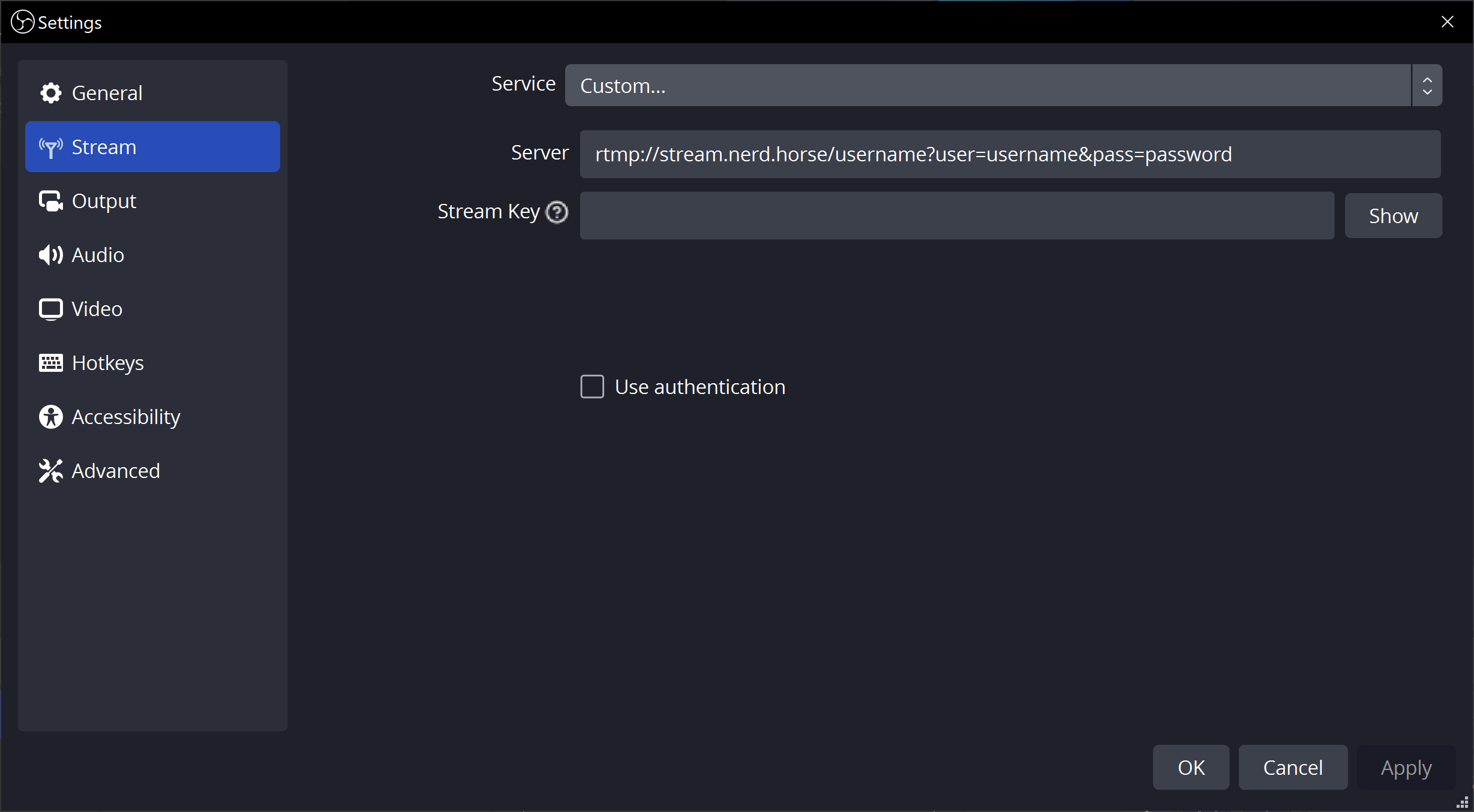
Welcome to the Nerd Horse streaming server. This is a private server for friends only.
Service: Custom...
Server: rtmp://stream.nerd.horse/username?user=username&pass=password
Replace username with your assigned username and password with your assigned password. Make sure you do not leak your password, there is no automated way to reset it!
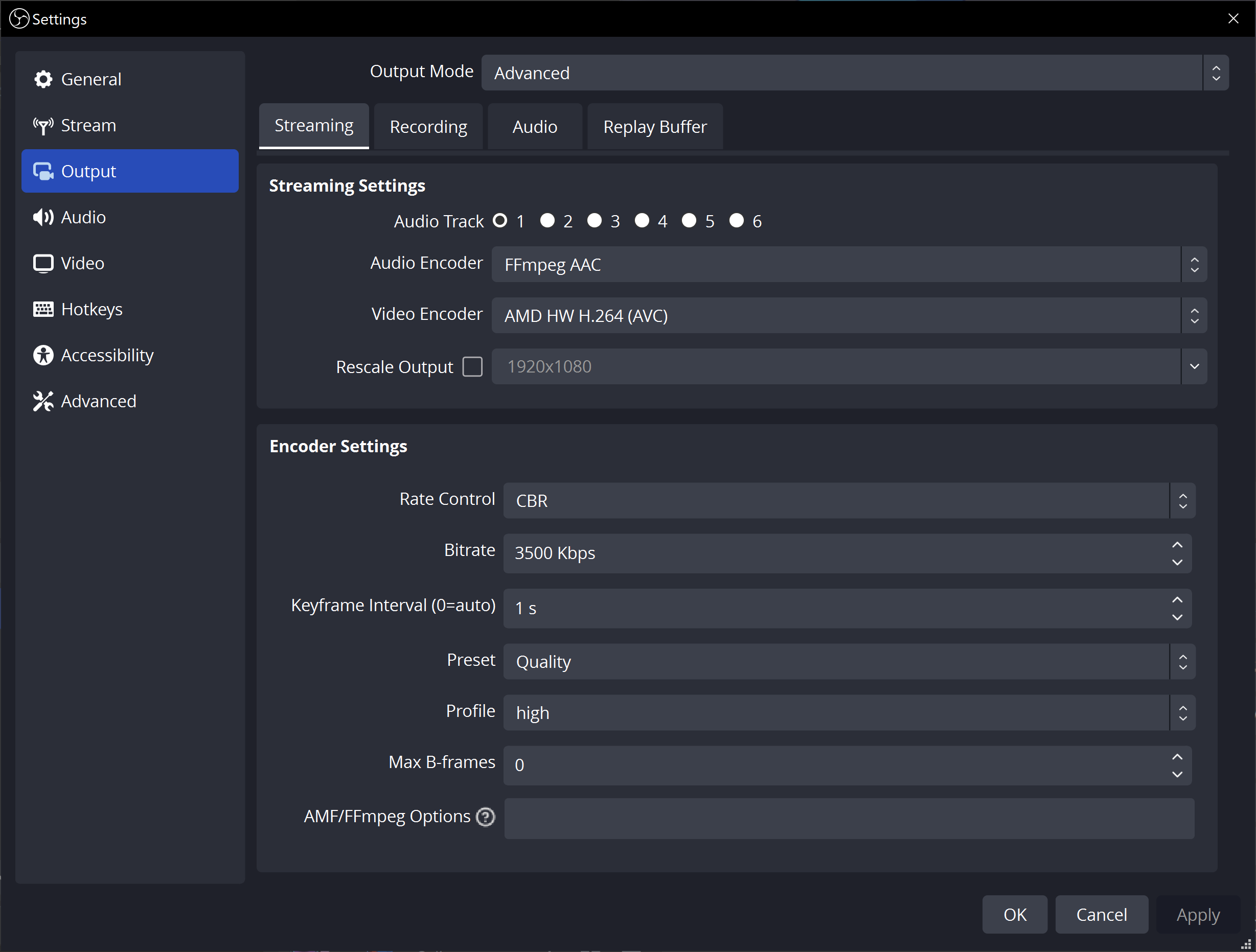
The H.264 or x264 encoder is required to ensure support in both VRChat and Web.
Additionally, B-Frames must be disabled to stream to Web. Some encoders have an option available in the user interface, you should set this to 0. Alternatively, if you are using an ffmpeg encoder you can add -bf 0 to the FFmpeg Options box at the bottom.
Rate Control: CBR
Bitrate: 3500 Kbps
Keyframe Interval: 1s
Preset: Quality
Profile: high
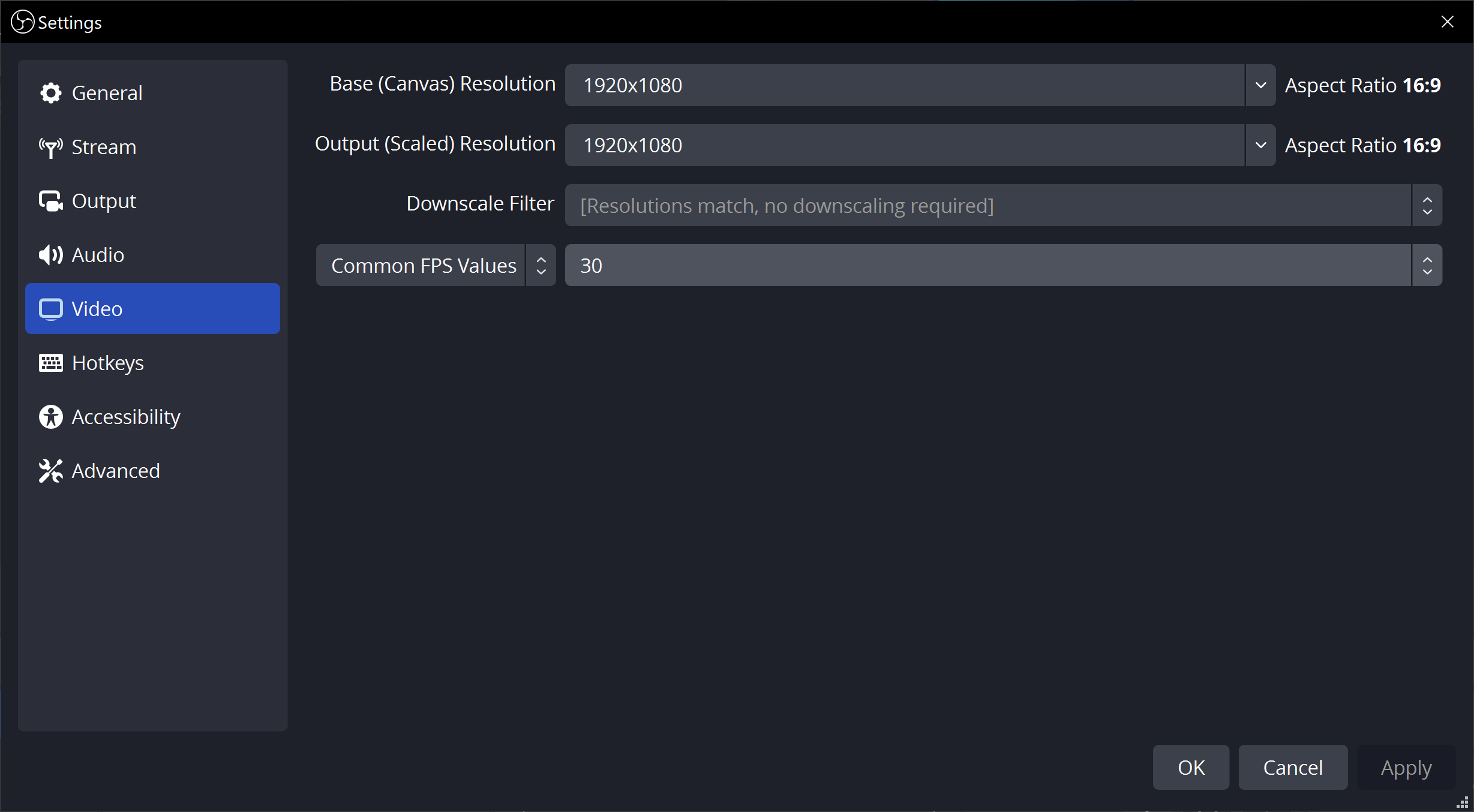
We recommend streaming at 1920x1080 30fps. You can probably get away with streaming at 1920x1080 60fps or 2560x1440 30fps, but we do not recommend going any higher.
To watch the stream in VRChat, you will need to open your Trust & Safety settings and enable the Allow Untrusted URLs option.
TODO: add screenshot
You will need to find a world that uses the AVPro video player, preferably one that has an option for "Low Latency" mode.
TODO: link to some good worlds
Enter rtspt://stream.nerd.horse/username as the video URL in the player. Replace username with your assigned username.
Your stream is available to view online at http://stream.nerd.horse/watch/username. Just replace username with your assigned username.
This server is just for friends, but you can set up a server like this yourself using MediaMTX to do the media things. I don't have a whole tutorial to share, but these configs are good examples.
MediaMTX Config (/usr/local/etc/mediamtx.yml):
# ...

rtspAddress: :554

# ...

paths:
  someusername:
    publishIPs: []
    publishUser: someusername
    publishPass: passwordgoeshere
    # Re-encode audio so web can play it
    runOnReady: ffmpeg -i rtmp://localhost/$MTX_PATH -c:v copy -bf 0 -c:a libopus -b:a 128k -f rtsp rtsp://localhost:$RTSP_PORT/watch/$MTX_PATH
    runOnReadyRestart: yes
  watch/someusername:
    publishIPs: ["::1"]
NGINX Config (/etc/nginx/sites-enabled/stream.nerd.horse):
server {
    listen 80;
    listen [::]:80;

    server_name stream.nerd.horse;

    root /var/www/stream.nerd.horse;
    index index.html;

    location / {
        try_files $uri $uri/ =404;
    }

    location /watch {
        proxy_pass http://127.0.0.1:8889;
        proxy_redirect off;
        proxy_set_header Host $host;
    }
}
Systemd Config (/etc/systemd/system/mediamtx.service):
(Enable with sudo systemctl enable mediamtx)
[Unit]
Description=MediaMTX
Wants=network.target

[Service]
User=mediamtx
Group=mediamtx
WorkingDirectory=/home/mediamtx
ExecStart=/usr/local/bin/mediamtx /usr/local/etc/mediamtx.yml

[Install]
WantedBy=multi-user.target
Extra command to allow mediamtx to use lower ports:
sudo setcap CAP_NET_BIND_SERVICE=+eip /usr/local/bin/mediamtx